PerfLoad / load testing tool
A Self-Hosted Load Testing Tool for HTTP APIs
PerfLoad is a load testing tool you run yourself. It takes an HTTP request as a curl command or a form, applies concurrent load with k6, and gives you latency, throughput, and error results, without a test script to write. This page is the overview: what's in the box, who it suits, and how to tell whether it fits your job.
Try PerfLoad →Not a hosted service — you run it with Docker. PerfLoad Cloud is coming soon.
What you get
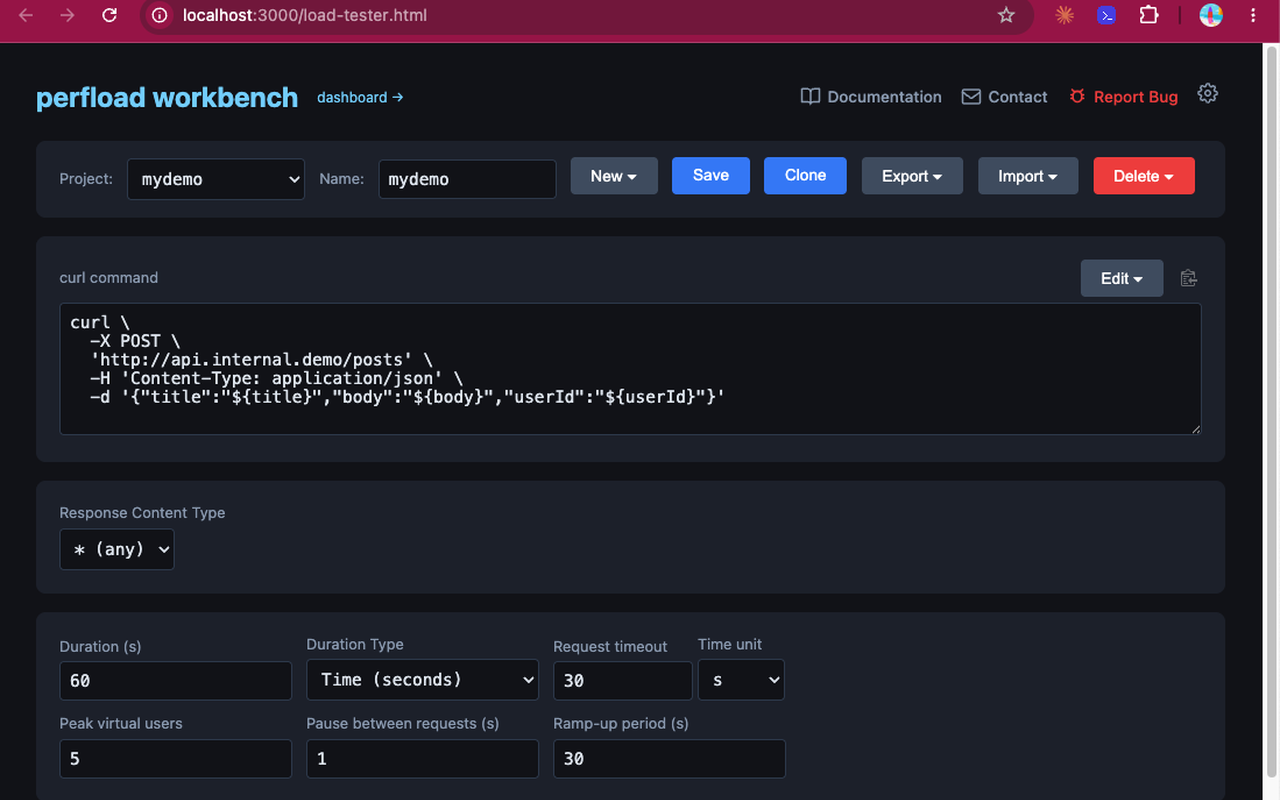
- Workbench: a fuller test builder. Paste a curl command; set users, duration, ramp-up, and pause; add headers, Bearer or Basic auth, variables, and response validation. Save, clone, import, and export named projects.
- Dashboard: a quick form for one-off tests, with your past runs alongside it. Open any run to load its settings back in, or compare several.
- Runner and REST API: the same container serves the UI, exposes an API for starting runs and reading results, and executes each test with k6.
- Reports: a PDF report for a single run, and a comparison report across two or more.
- AI skills: skill files that let AI browser tools such as Claude in Chrome drive the Workbench and Dashboard from a prompt.
Who it suits
| If you are… | PerfLoad helps by… |
|---|---|
| A developer checking a new endpoint | Turning the curl you already used into a load test in a couple of minutes. |
| A QA or QE engineer | Letting you build, save, and rerun load tests from a form instead of maintaining a test codebase. |
| A DevOps or platform engineer | Providing a runner you can deploy in your own network, plus an API a pipeline can call. |
| An engineering team lead | Keeping run history and comparisons in one place, so “did that release get slower?” has an answer. |
Questions to ask about any load testing tool
Whichever tool you end up with, these are the questions that tend to decide whether it sticks:
- How long until the first result? If it takes an afternoon of scripting, tests get skipped. PerfLoad's path is paste, configure, run.
- Can it reach what you're testing? A tool that can only hit public URLs can't test an internal service. PerfLoad's runner can sit in your own network; see self-hosted load testing.
- Can a pipeline run it? PerfLoad's runner API works with
curlandjq; see CI/CD load testing. - Will you be able to compare runs later? Results that vanish after the terminal closes don't help with regressions. PerfLoad keeps run history on a volume you control.
- What happens when your needs outgrow it? PerfLoad is built for HTTP request tests. For scripted scenarios, k6 itself is the next step; see the k6 comparison.
Getting started
docker run -d --name perfload -p 3000:3000 -v perfload-runs:/app/runs perfload/perfload-runner:latestOpen http://localhost:3000/load-tester.html for the Workbench, or
http://localhost:3000/ for the Dashboard.
FAQ
Is there an online version I can use without installing anything?
Not yet. Today PerfLoad runs from a Docker image on your machine or a server you control. A hosted control plane, PerfLoad Cloud, is planned and marked coming soon.
What does it run under the hood?
k6. Each test spawns a k6 process, and results come from k6's own summary output.
What kinds of tests is it not meant for?
It focuses on HTTP requests. Tests that need custom scripted logic, or protocols beyond HTTP, are better written in k6 directly.
Related guides
See if it fits your workflow
Run one request you care about through PerfLoad and judge the result.
Try PerfLoad →